

Approval workflow software for every employee request
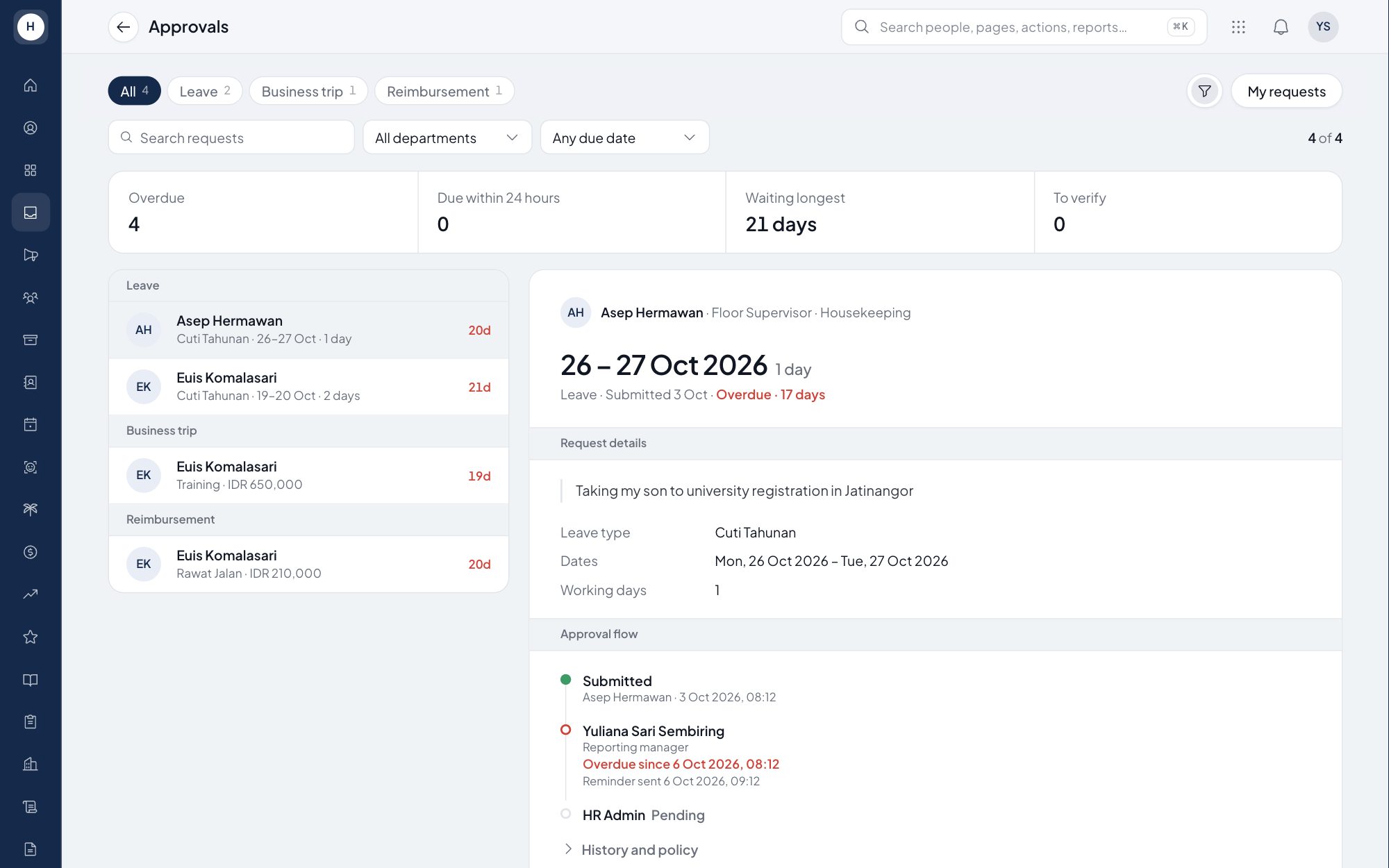
Leave, overtime, attendance corrections, reimbursements and recruitment requests all need sign-off, and every company has its own order of approvers. Stavis runs every request type through one approval engine with rules you set per type. Approvers get one inbox, and every decision is recorded.
What you can do
One engine for every request
Leave, PDO, attendance correction, schedule change, overtime, payroll adjustment, KPI adjustment, reimbursement, workforce plan, position change and recruitment request.
Multi-step and configurable
Set the steps per request type: direct manager, department head, a per-employee approver, a role or a named user. Rules can differ by unit, employment category, job level or number of days.
Approve, reject or return
Approvers can approve, reject, or return a request for revision. A rejection or return needs a comment.
Reminders and reassignment
Requests past their SLA are flagged and the approver gets a reminder. HR can move the active step to someone else when an approver is away.
How it works
- 1
Set the approval policy
Every request type ships with a default policy. An admin can change the steps, approvers and SLA on the approval settings page.
- 2
The employee submits
When a request is sent from the web or the phone, the system resolves the approver of each step and sends a notification.
- 3
Approvers decide
The next step opens only after the previous one approves. The effect of a request, such as a leave balance deduction, applies only after the final approval.
Frequently asked questions
Which requests can use this approval workflow software?
Leave, PDO, attendance correction, schedule change, overtime, payroll and KPI adjustments, reimbursement, workforce plan, position change and recruitment request.
Can approvals have more than one level?
Yes. You set several sequential steps per request type, and each step opens only after the previous one approves.
What happens when an approver is on leave or does not respond?
Once the SLA passes, the approver gets a reminder. HR can move the active step to another user, and the reason is recorded.
Can employees approve their own requests?
No. When a step would land on the requester, the system passes it up to the next level, and every decision is written to the audit log.
See Stavis with your own company
Bring one department, one shift pattern and one month of payroll. We will walk through it with you.
