


Coretax e-Bupot reporting straight from payroll
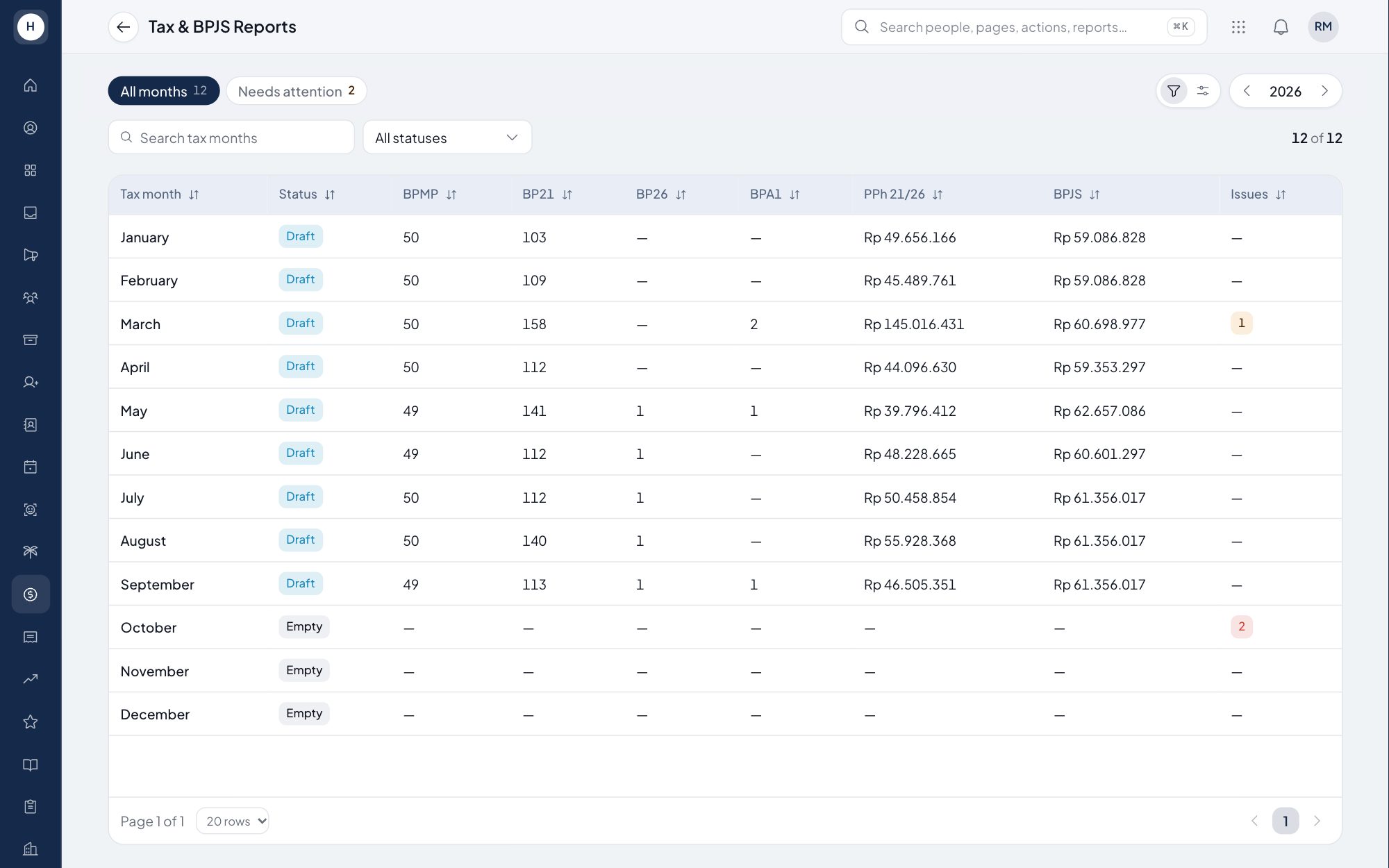
Once payroll is locked, Stavis builds the PPh 21/26 recap per tax period and the withholding slips for Coretax e-Bupot. Nobody re-types figures from payslips, and data problems that Coretax would reject are shown before you download the file. The BPJS contribution recap per programme sits on the same page.
What you can do
PPh 21/26 recap per period
See what was withheld, from whom and under which form for each tax period, taken from locked payroll payslips.
Coretax e-Bupot files
Download import files for BPMP (monthly, permanent staff), BP21, BP26 (non-resident taxpayers) and BPA1 (annual 1721-A1).
Checks before upload
Missing NPWP or NIK and other data Coretax would reject are listed first so you can fix them.
BPJS contribution recap
A recap of BPJS Kesehatan and Ketenagakerjaan per programme, employee and company shares, exportable to Excel.
How it works
- 1
Lock payroll
Only payslips from locked payroll periods count, grouped by the tax period of their pay date.
- 2
Check and finalise
Fix flagged data, then finalise the tax period. Rows and files are frozen and every step is written to the audit log.
- 3
Upload to Coretax
Download the file, import it in Coretax e-Bupot and mark the period as reported. A correction creates a new revision.
Frequently asked questions
How do I report PPh 21 in Coretax?
PPh 21 withholding slips are created in Coretax e-Bupot, one by one or by importing a file. Stavis prepares the import file from locked payroll, and Coretax builds the monthly PPh 21/26 return from the imported slips.
What are BPMP, BP21, BP26 and BPA1?
BPMP is the monthly slip for permanent employees, BP21 covers other income recipients taxed under PPh 21, BP26 is for non-resident taxpayers, and BPA1 is the annual 1721-A1 slip.
Can the 1721-A1 slip be produced automatically?
Yes. BPA1 is built from the year's payroll payslips, including the reconciliation in the final tax period.
What if a correction is needed after filing?
A finalised tax period can be reopened with a reason, and the system creates a new revision for the correction. Every step is written to the audit log.
See Stavis with your own company
Bring one department, one shift pattern and one month of payroll. We will walk through it with you.
