


Recruitment software with a careers page
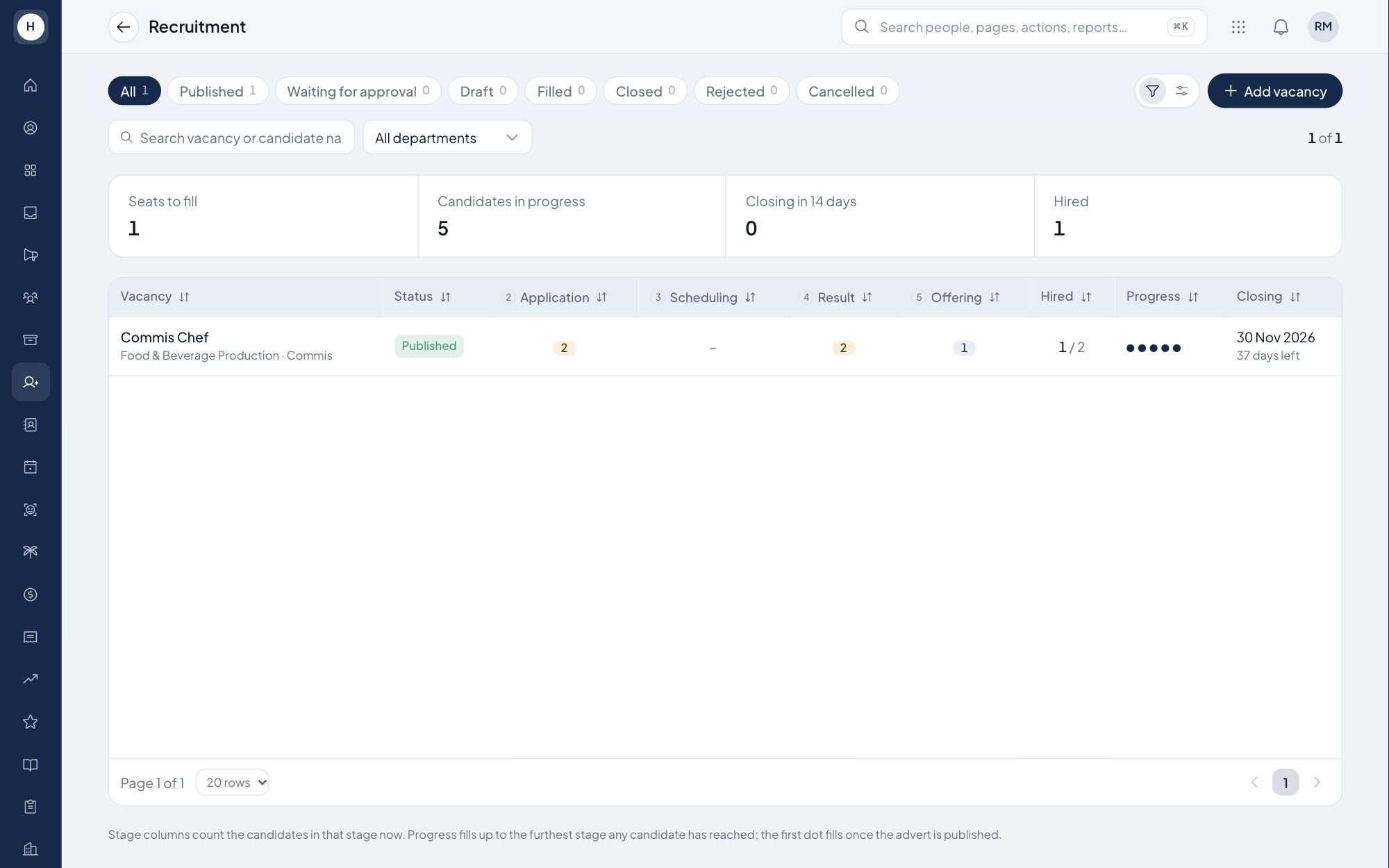
Managers request to fill empty positions that are already approved in the org structure, and HR runs the whole process in one vacancy workspace. Candidates apply through your company careers page. A hired candidate becomes a new employee in onboarding.
What you can do
Recruitment requests
Managers request to fill an empty seat straight from the position page, including replacing someone who resigned. The headcount asked for cannot exceed the seats actually available.
One workspace, five stages
Each vacancy has five stages: Information, Applications, Scheduling, Interview result and Offering. HR screens applicants, books interviews and makes decisions from one page.
Interviewer scorecards and email templates
Every interviewer must submit a scorecard before a decision, and a reminder goes out on its own when one is missing. Interview invitations and rejection emails use templates set up once.
Public careers page
Vacancies appear on a careers page with readable job URLs and a clean preview when shared on social media. The apply form has spam protection and accepts CVs in PDF only.
How it works
- 1
Raise and accept the request
A manager requests a hire for an empty position, and HR accepts it or rejects it with a note.
- 2
Publish the vacancy and screen
HR publishes the vacancy to the careers page, screens applications, schedules interviews and collects scorecards.
- 3
Offer and hire
The chosen candidate receives an offer, and once hired becomes a new employee in onboarding.
Frequently asked questions
Does the recruitment software include a careers page?
Yes. Your company gets a public careers page with open roles grouped by department and an apply form that needs no account.
Who can see candidate data?
The vacancy workspace is for HR only. Managers raise recruitment requests, and interviewers fill in scorecards for the interviews they run.
Do candidates get automatic emails?
Yes. Interview invitations and rejection emails are sent from templates HR sets up once, and invitations include a calendar file.
What happens after a candidate is hired?
The candidate's record becomes a new employee in onboarding, so HR does not type it in again. Deeper hiring tools will come with the Stavis Recruit application.
See Stavis with your own company
Bring one department, one shift pattern and one month of payroll. We will walk through it with you.
