

HR audit log that records every important change
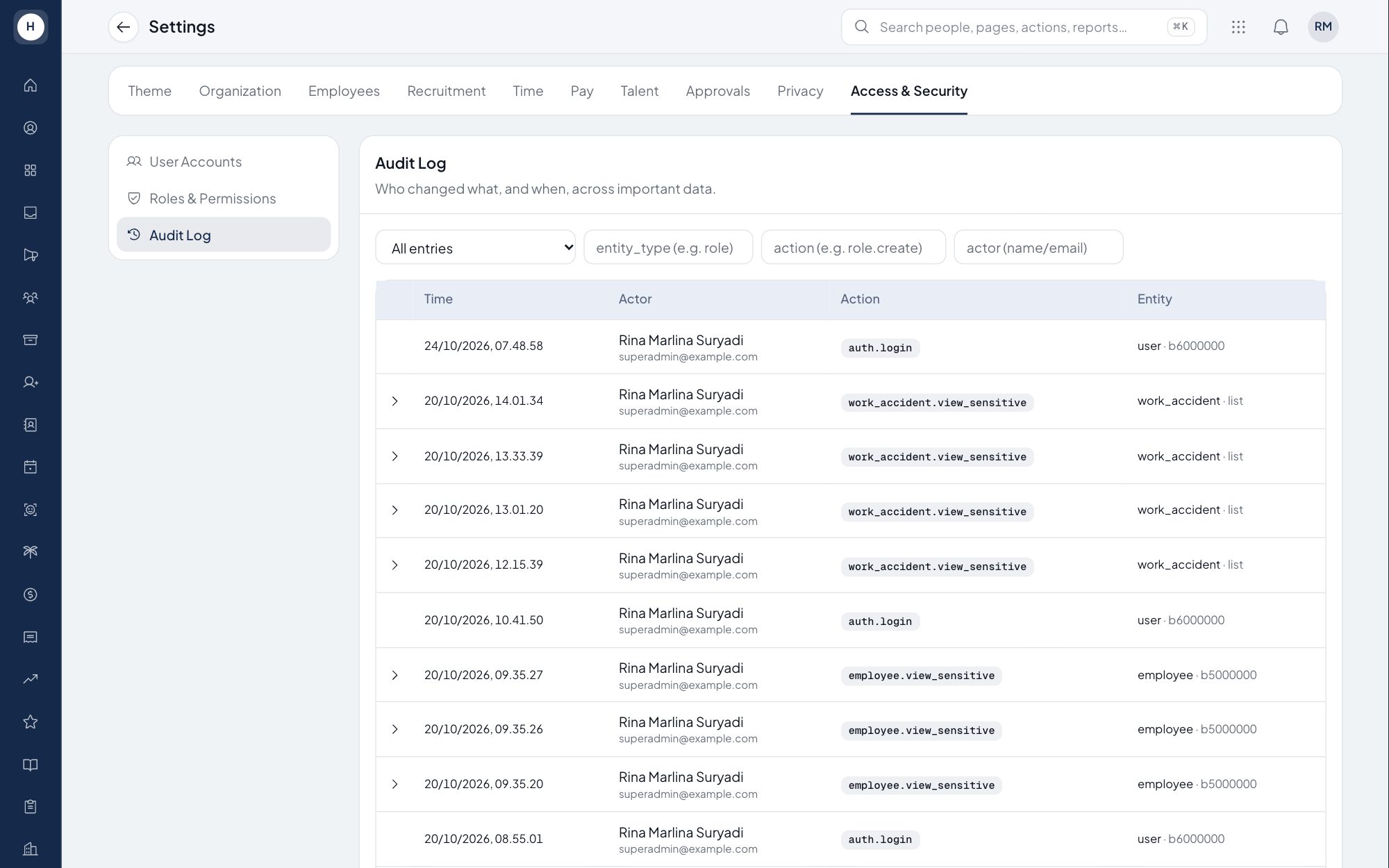
Every change to important data, from employee profiles and bank accounts to payroll and access rights, writes an entry in the audit log. The entry holds who made the change, what changed, the values before and after, and when. HR, finance and auditors can trace this history at any time.
What you can do
Who, what, when
Each entry stores the user, the action, the record changed, the time and the IP address.
Before and after values
Open any entry to see how the data looked before and after the change.
Append-only
The audit log can only grow. There is no way to edit or delete an entry.
Easy to search
Filter by user, action, record and date range to find a specific change.
How it works
- 1
A change happens
A user edits data, approves a request or changes a setting.
- 2
The system records it
An audit entry is written automatically, with no extra step for the user.
- 3
Trace it when needed
Users with audit permission open the log, filter it and read the details.
Frequently asked questions
What is an audit log in HR software?
A history of every change to important data in the system: who did it, what changed and when. It helps answer auditors' questions and trace mistakes.
Which changes are recorded?
Changes to important data such as employee profiles, bank accounts, payroll, approvals, company settings, roles and permissions, as well as sign-in activity.
Can audit entries be deleted?
No. The audit log is append-only and offers no edit or delete function.
Who can see the audit log?
Only users with the audit log permission, which is set through roles and permissions.
See Stavis with your own company
Bring one department, one shift pattern and one month of payroll. We will walk through it with you.
