


Employee training management and certifications
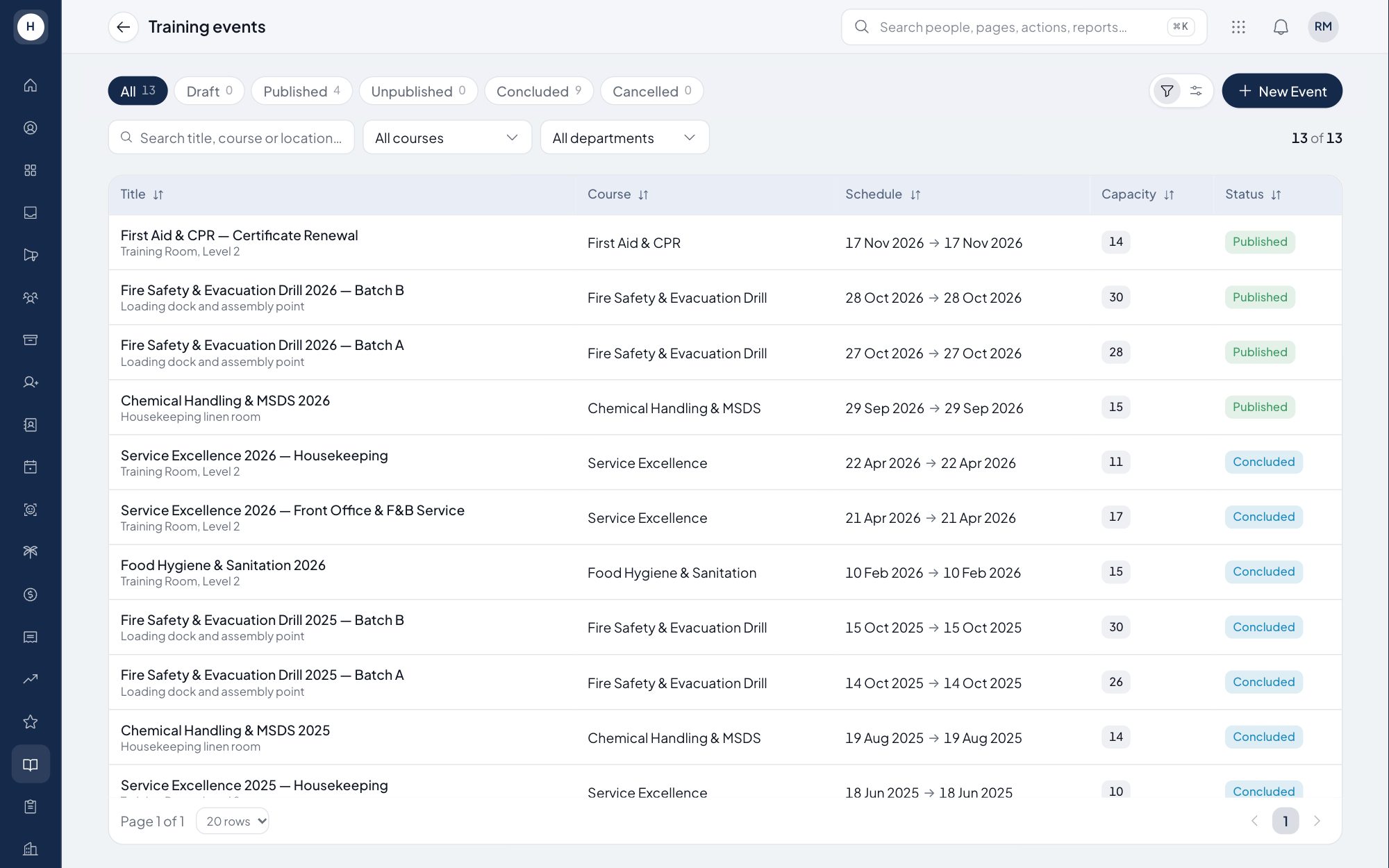
HR creates training events from a course list, assigns participants and records the cost. Employees check in and submit evidence, and HR validates it before the training enters the employee's official history. Employee certificates are recorded with their expiry dates.
What you can do
Courses and training events
Keep courses as master data, then create events with details, agenda, e-learning content, cost and documentation. Events can be published, unpublished, concluded or cancelled.
Participants and check-in evidence
Assign employees to an event and it appears in their My Training list. Participants check in and submit completion evidence such as a photo, screenshot, certificate or supporting document.
Validation and training history
HR approves or rejects evidence with a reason. Only validated training reaches the employee's training history, with hours and evidence links.
Cost and certifications
Record the cost of each event and see a monthly department report, including employees with no training that month. Certificates are recorded by category with their expiry dates.
How it works
- 1
Create the event and assign people
HR picks a course, fills in schedule, agenda and cost, adds participants and publishes the event.
- 2
Participants check in and submit evidence
Employees check in on the training day and submit proof of completion from their own account.
- 3
HR validates
Once the evidence is approved, the training is added to the employee's history and the department report.
Frequently asked questions
Does the software keep employee training records?
Yes. Every training validated by HR is stored on the employee profile with training hours, evidence links and who validated it.
How do I prove an employee attended a training?
Participants check in and submit evidence such as a photo or certificate. HR reviews it and approves or rejects it with a reason.
Can I report training cost by department?
Yes. Cost is recorded on each event, and the monthly department report shows training hours, trainings attended and cost allocation per employee.
Can I track certificates that are about to expire?
Yes. Employee certificates are recorded by category together with their expiry date. Deeper talent development tools will come with the Stavis Talent application.
See Stavis with your own company
Bring one department, one shift pattern and one month of payroll. We will walk through it with you.
