

Employee onboarding software without paper forms
HR sends an invitation link, and the new hire fills in their own details through a step-by-step wizard: NIK, NPWP, BPJS, bank account and documents. HR follows everyone's progress on one page, reviews what comes in and activates the employee.
What you can do
Invitation link
New hires receive an invitation link and set up their own account. An expired link can be resent from the onboarding page.
Self-service data entry
Employees enter their NIK, NPWP, BPJS, bank account, emergency contact and required documents from a phone or laptop.
Requirements you configure
HR decides which data and documents are required, including the company's own custom fields and document types.
Progress tracker
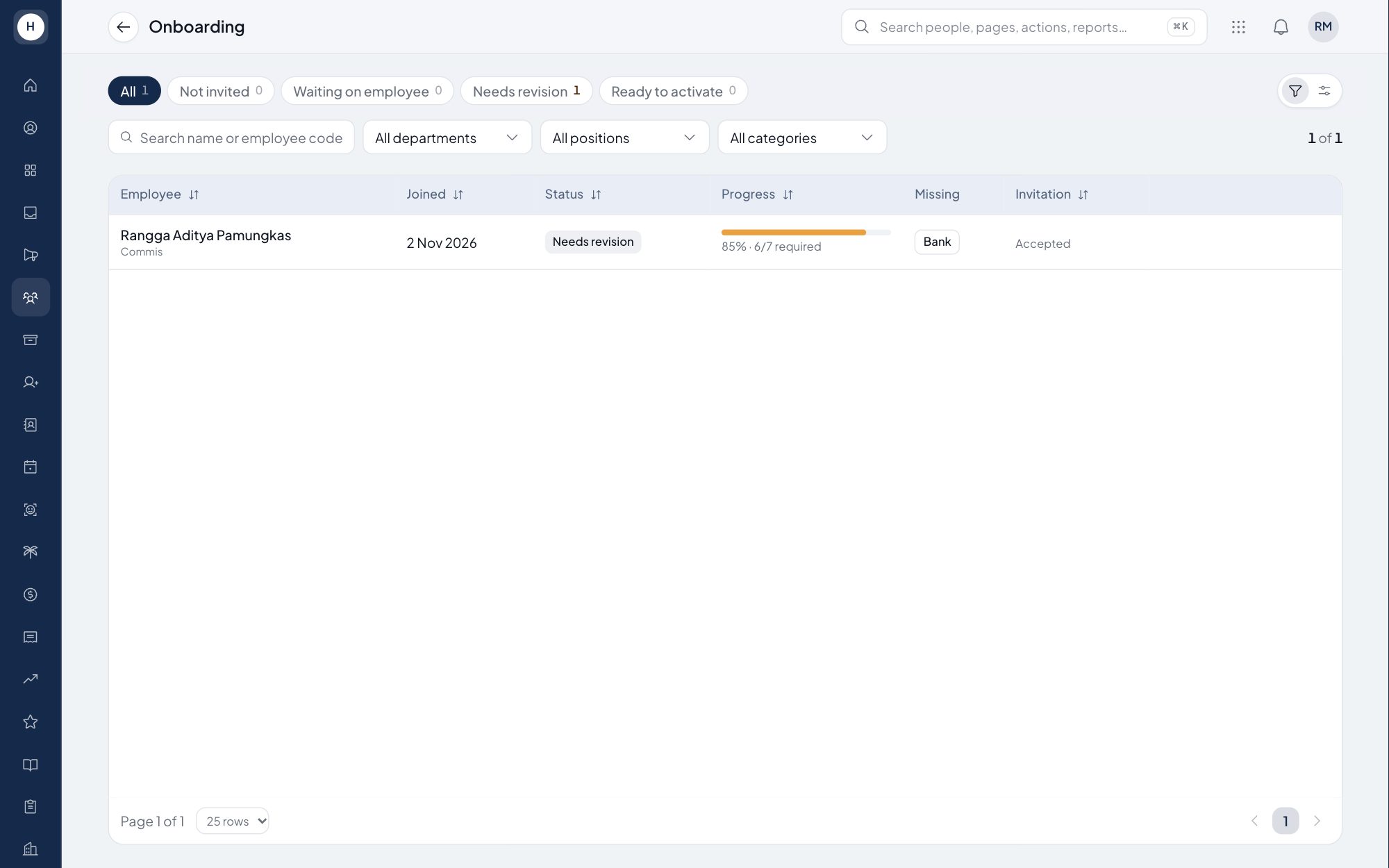
One list shows every employee in onboarding, their completion percentage, what is missing and how long they have been waiting.
How it works
- 1
Send the invitation
HR creates the employee's basic record and sends an invitation link to their email.
- 2
The new hire completes their data
The employee follows the wizard and submits their data for review.
- 3
Review and activate
HR reviews each section, asks for corrections if needed, then activates the employee.
Frequently asked questions
What is employee onboarding software?
Software that guides new hires through completing their data and documents before they start, and helps HR follow the process. In Stavis, employees fill in their own data through an invitation link.
What data does a new hire fill in?
Whatever HR requires, for example NIK, NPWP, BPJS, bank account, emergency contact and documents such as the ID card. HR can add or remove requirements at any time.
How does HR know who has not finished?
The onboarding page shows each employee's completion percentage, what is still missing and how long the process has been open. HR can resend the invitation from the same page.
Is the employee's data used straight away?
Only after review. HR checks each section and can ask for corrections. Once the employee is activated, the data is used for attendance and payroll.
See Stavis with your own company
Bring one department, one shift pattern and one month of payroll. We will walk through it with you.
