


Org chart and positions that match the real organisation
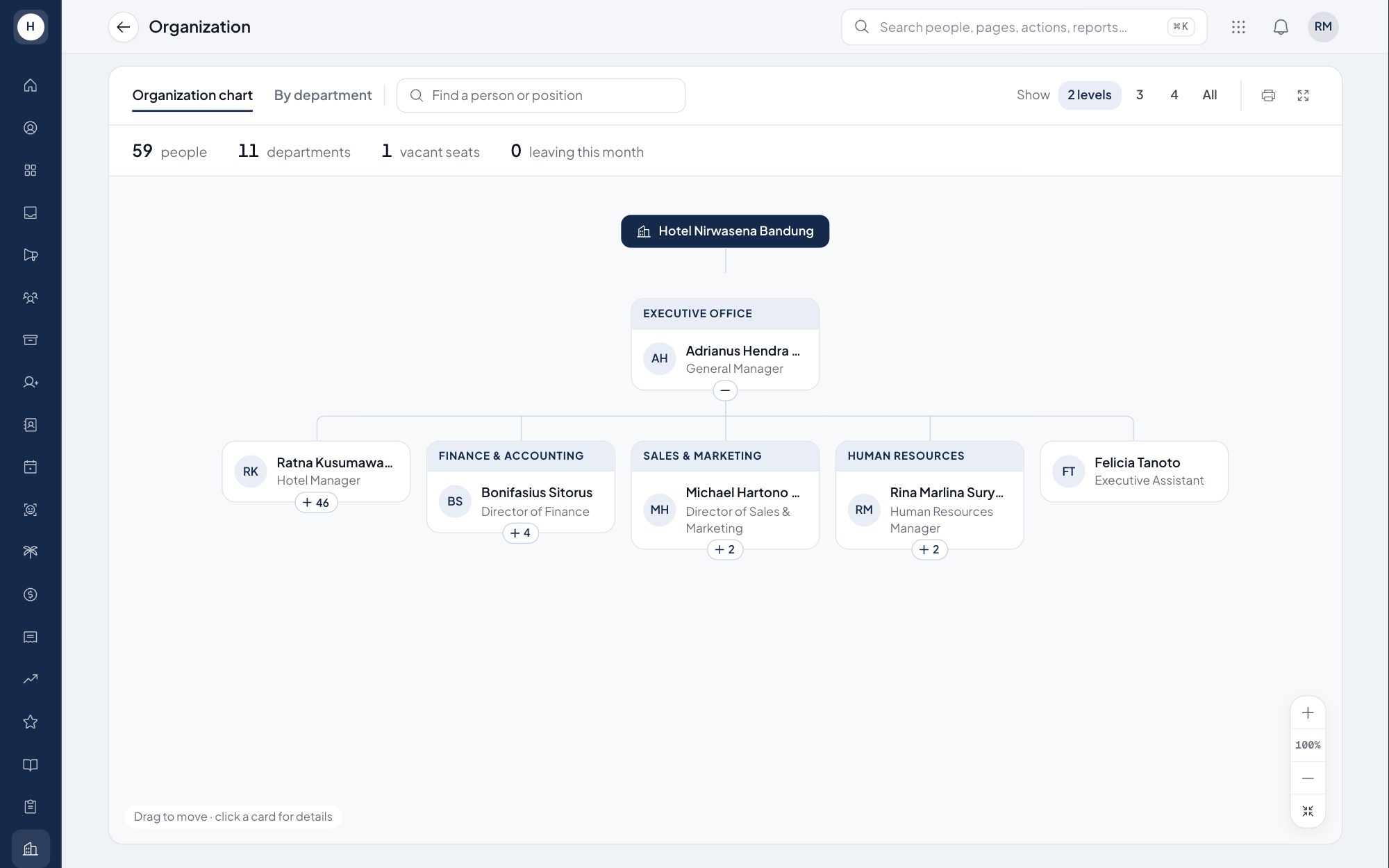
Build your units from the board down to each outlet, set job levels and the number of approved positions per unit. Stavis compares those positions with the people in them, so HR and managers see which seats are filled and which are empty.
What you can do
Unit tree
Departments, divisions, outlets and other units sit in a hierarchy, each with its head and headcount.
Job levels
Define job levels once and use them to order positions inside every unit.
Approved positions and seats
Set how many people each position should have. The system shows who occupies each seat and how many are still empty.
Interactive org chart
Open a management chart and a people tree that expands and collapses per unit, with the head of every unit.
How it works
- 1
Build your units
Create units and sub-units, then name the head of each one.
- 2
Set the positions
Add positions with their approved number of seats and job level for every unit.
- 3
Watch occupancy
See filled and empty positions live, and open the org chart for the full picture.
Frequently asked questions
What is org chart software?
Software that keeps your units, positions and reporting heads in one place and draws them as a chart. In Stavis the structure also drives approval routing and which data each manager can see.
How do I see which positions are vacant?
Every position has an approved number of seats. Stavis compares it with the employees in that position and shows the seats that are still empty.
Is the org chart generated automatically?
Yes. The chart is built from your units, unit heads and employee data, so it changes as soon as the data is updated.
Does it support company groups with several entities and branches?
Yes. Several PTs and branches are managed in one system, and every unit can be nested as deep as you need.
See Stavis with your own company
Bring one department, one shift pattern and one month of payroll. We will walk through it with you.
