

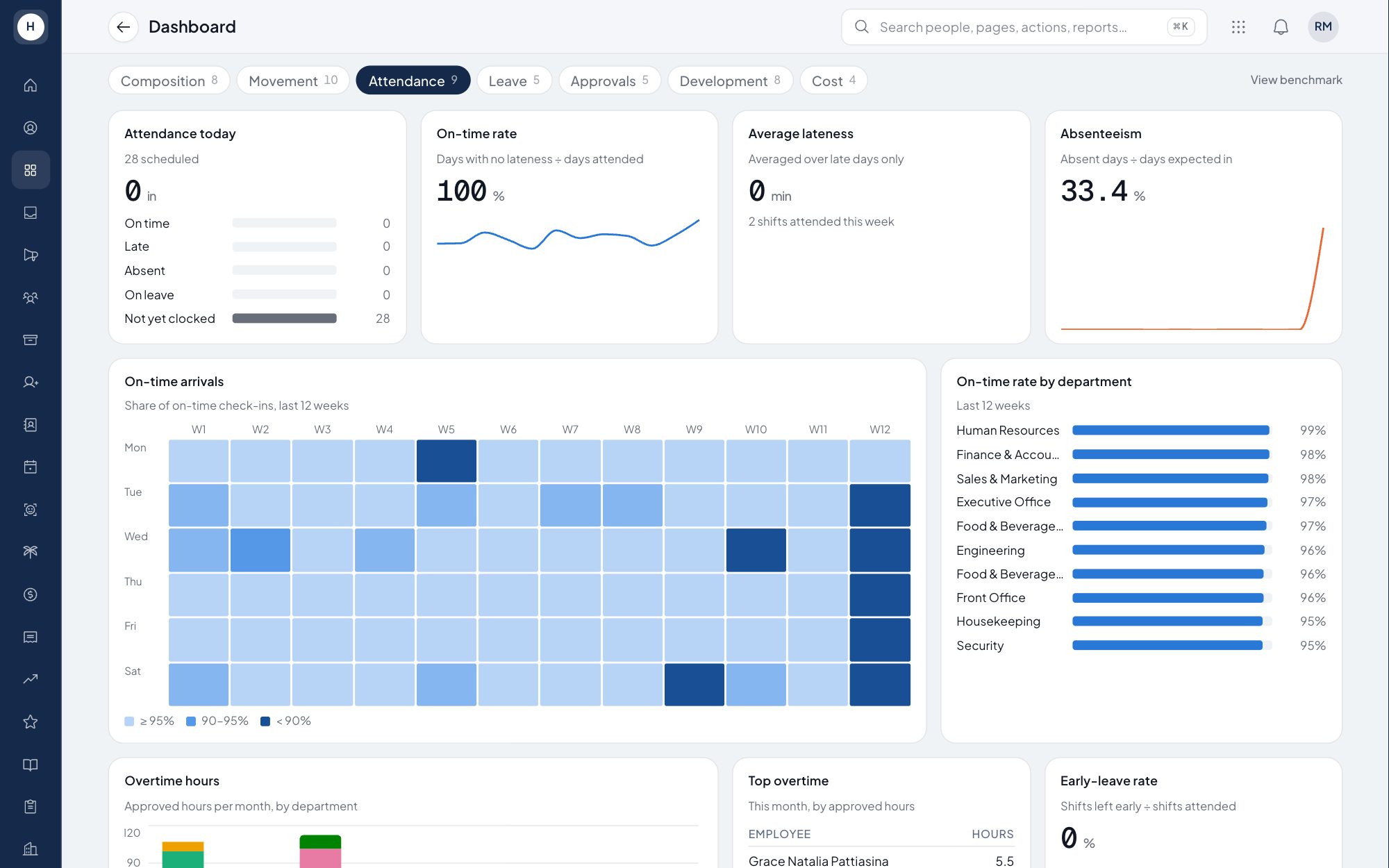
HR analytics dashboard built on your live employee data
Management wants to know how many people are working, who left, who is often late and what labour costs this month. The Stavis dashboard answers in seven tabs that read the same data as attendance, leave and payroll. Nobody has to build the recap from several spreadsheets.
What you can do
Composition and movement
Headcount by department, age pyramid, gender and tenure, plus hires, exits and turnover with exit reasons.
Attendance and leave
Today's attendance, late arrivals, absence rate, overtime hours and leave usage by department, from the same records the employee recap uses.
Approvals and development
Pending approvals, including those past their SLA, plus training hours, expiring certifications, KPI and appraisal distribution.
Labour cost
Payroll cost per month and per department, and the overtime cost share. The tab appears only for users with payroll access. Salary by level is hidden when fewer than 3 people hold it, so no one's pay can be read off the table.
How it works
- 1
Data comes from daily work
Attendance, leave, approvals, training and payroll are recorded in Stavis as usual. There is no separate import for the dashboard.
- 2
Pick a tab and a period
Open the tab you need, such as Attendance or Cost, and view it for the whole company or one department.
- 3
Go to the detailed report
When you need names, move to an HR report you can export to Excel, or ask Luna, the AI HR assistant.
Frequently asked questions
What does the Stavis HR analytics dashboard show?
Seven tabs: workforce composition, movement, attendance, leave, approvals, development and cost. Every tab reads live data in the system.
Can department managers see salary data on the dashboard?
The Cost tab is visible only to users with payroll permission. Other users can still use the other six tabs.
How is employee turnover calculated?
Turnover comes from the history of employee status changes, with effective dates, the exit type (voluntary or involuntary) and the exit reason.
Do I have to update the dashboard by hand each month?
No. The numbers come straight from the attendance, leave, approval, training and payroll records already in the system.
See Stavis with your own company
Bring one department, one shift pattern and one month of payroll. We will walk through it with you.
