


HR reporting software with ready reports on your letterhead
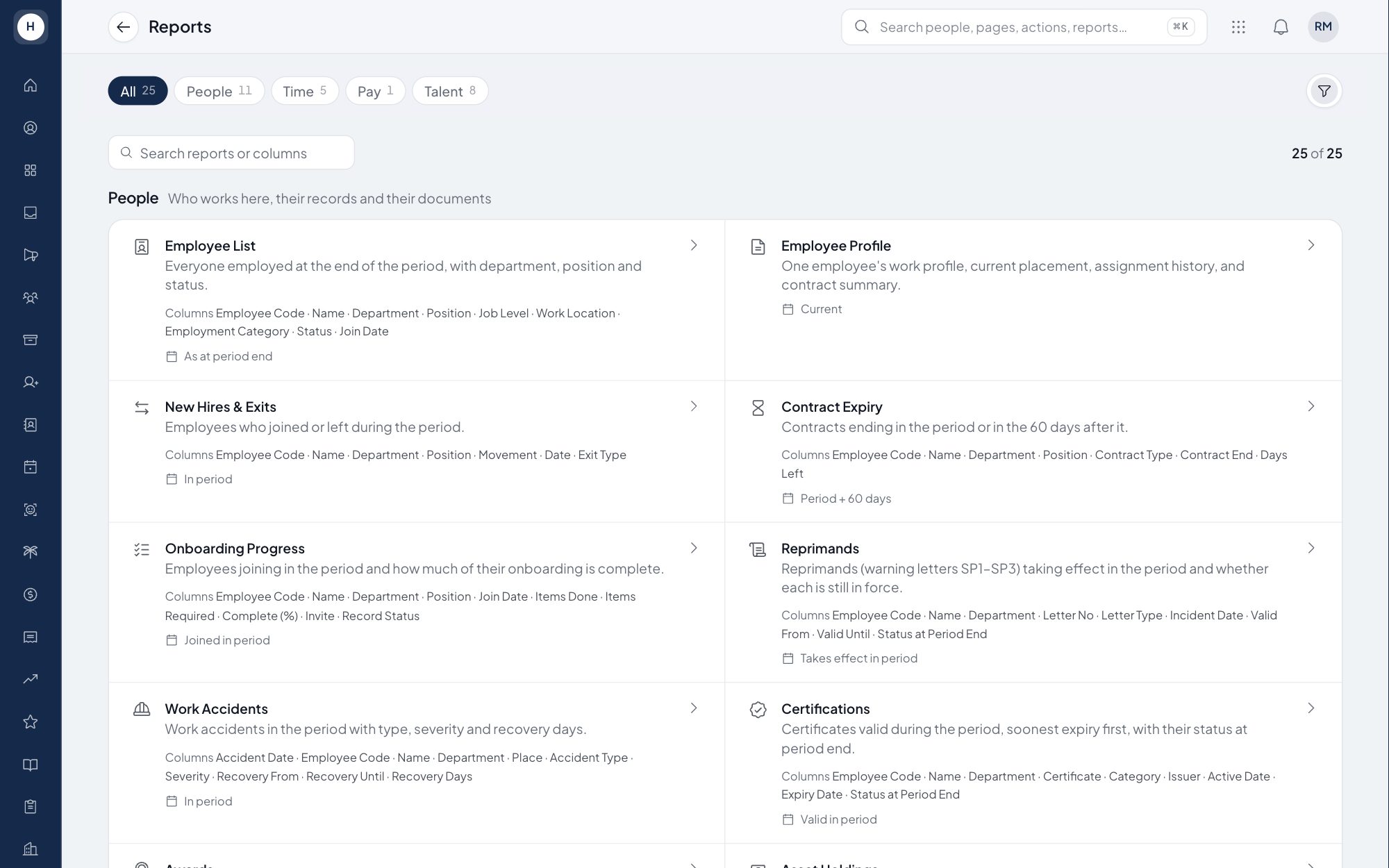
Owners, auditors and head office often ask for a recap in Excel. The Stavis report hub gives you 22 table reports with fixed columns, from the employee list to the overtime recap. Pick a period and export it on your company letterhead.
What you can do
22 table reports
Employee list, new hires and exits, contract expiry, attendance summary, late and missing clock-ins, overtime, leave taken and balance, reimbursements, recruitment, training and more.
Month, range or year
Run a report for one month, a date range or a full year, and filter by department when needed.
Excel export on letterhead
View any report on screen, print it, or download it as XLSX with your company logo, name and address at the top.
Follows access rights
A department head sees only rows from their own unit. Sensitive fields are locked out of every report, and every Excel export is written to the audit log.
How it works
- 1
Pick a report
Open the report hub and choose from a catalog grouped by module: people, time, pay and talent.
- 2
Set the period and department
Choose a month, a date range or a year, then pick a department if you only need one unit.
- 3
View, print or export
Check the table on screen, print it from the browser, or download the Excel file for management or the auditor.
Frequently asked questions
Which HR reports does Stavis include?
There are 22 table reports, including the employee list, new hires and exits, contract expiry, attendance summary, overtime, leave, reimbursements, recruitment and training.
Can I export HR reports to Excel?
Yes. Every report can be downloaded as an XLSX file on your company letterhead by users with export permission.
Do the report numbers match the numbers in the app?
Yes. Reports read data through the same rules as the feature they come from, such as the attendance recap and leave balance, so the numbers agree.
Are payroll reports part of the report hub?
Payslip, tax and BPJS reports stay in the Payroll module. The report hub holds operational HR reports without pay data.
See Stavis with your own company
Bring one department, one shift pattern and one month of payroll. We will walk through it with you.
