

Candidate screening software with knockout questions
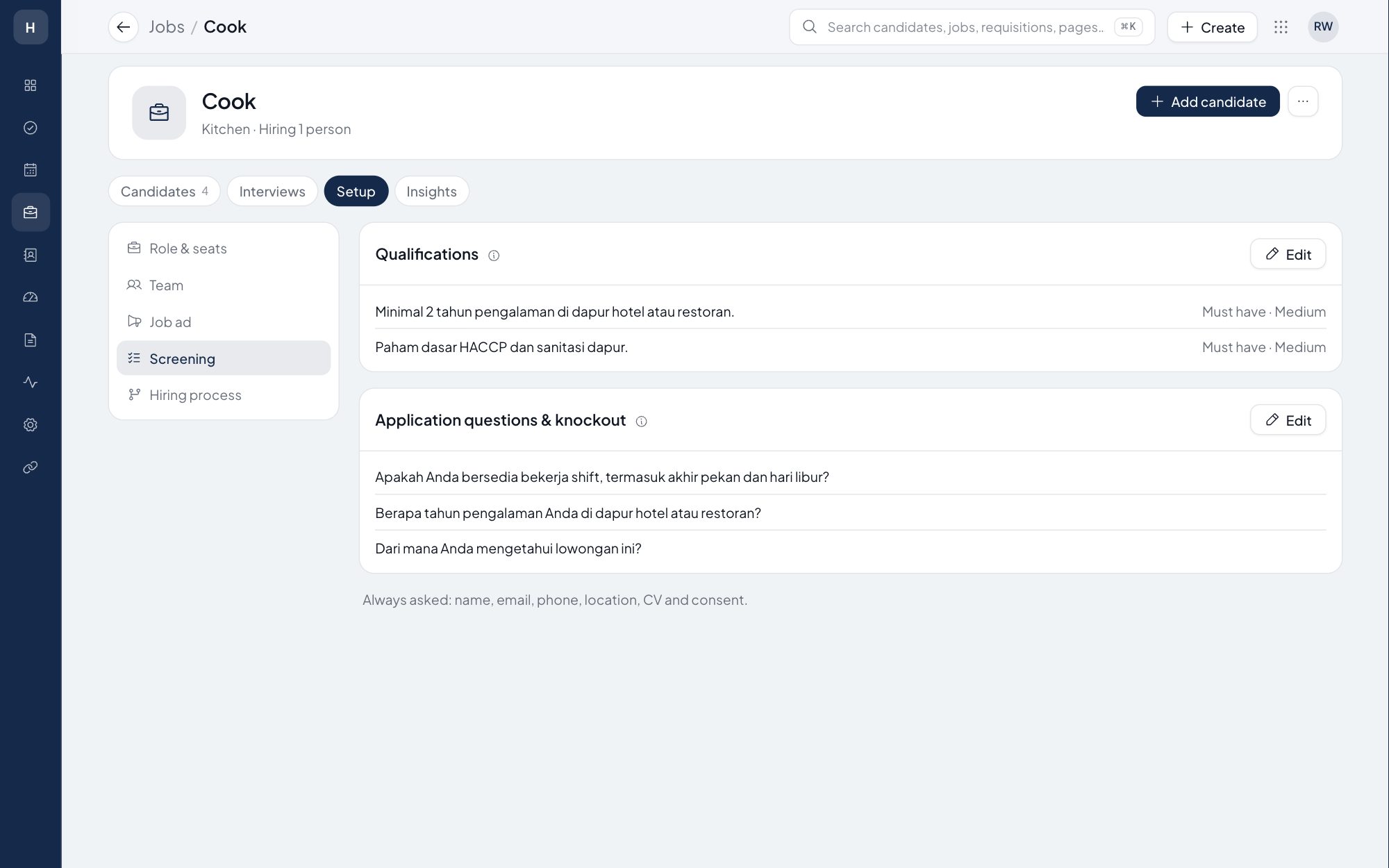
Write the questions that decide a role, such as whether the candidate can work weekend shifts or how many years they have worked in a hotel kitchen. Set the expected answer. Answers that differ are flagged, and a knockout question can reject the candidate with the reason you chose.
What you can do
Questions per job
Yes or no, numbers, choices or short text, in the order you want, asked on the application form.
Knockout rules
Mark a question as a knockout: a candidate who gives the wrong answer is flagged, or rejected with your reason. It is a rule you can read, never a hidden score.
Answers at a glance
On each candidate, answers are checked against what you expected, like "2 of 2 as expected".
Qualifications
Must-haves and nice-to-haves per job, each with a weight, used by the AI match when you turn it on.
How it works
- 1
Add questions
Open the job's Screening section and add questions, or start from the frontline starters.
- 2
Set the rule
Choose the expected answer and whether a different answer flags or rejects.
- 3
Review the rest
Candidates who pass are waiting in New, with their answers checked.
Frequently asked questions
Is a candidate rejected without anyone looking?
Only when you set a knockout question to reject. The rejection carries the reason you chose and is recorded in the candidate's history.
Can a recruiter override a knockout?
Yes. A recruiter can move a candidate forward with a reason, and the override is recorded.
Is there a question library?
Each job keeps its own questions, and high-volume jobs offer starter questions to add in one click.
Does AI decide who passes screening?
No. Screening rules are yours. AI only reads the CV and gives a recommendation when a recruiter asks for it.
See Stavis Recruit with one of your open jobs.
Bring a role you are hiring for now. We will publish it, screen a few CVs and walk you through to the offer.
